
Further Sensors#
Here you will find brief instructions and code for using a variety of more advanced sensors.
Temperature & Humidity Sensor (DHT11)#
The DHT11 is a reliable and widely used temperature and humidity sensor. It can measure temperatures and humidities to 2 significant figures.
The DHT11 communicates with the Pico digitally via a custom protocol - similar to I2C but only needing one wire.
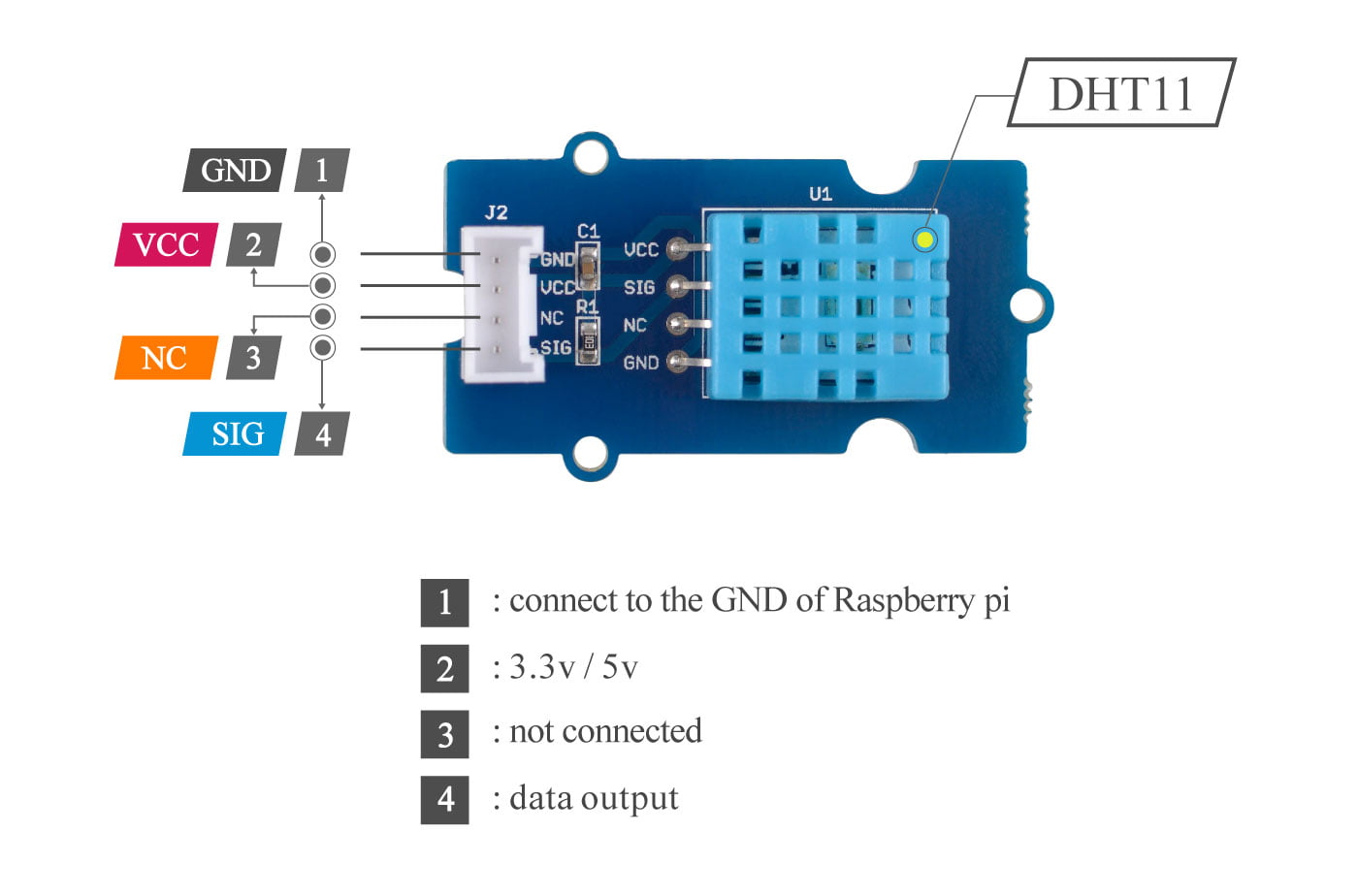
Programming the DHT11 to work with the Pico is very simple since it has its own custom library.
This library is not included in the core CircuitPython package you uploaded to the Pico but can be very easily added using the instructions here.
import time
import board
import adafruit_dht

dht = adafruit_dht.DHT11(board.GP0)

while True:
    try:
        temp = dht.temperature
        humidity = dht.humidity
        print(f"Temperature: {temp} C \t Humidity: {humidity}%")
    except RuntimeError as e:
        print("Reading from DHT failure: ", e.args)
    time.sleep(5)
Here, we simply need to create a dht object for the sensor and read values using .temperature and .humidity.
The vast majority of the work is done behind the scenes thanks to the library.
Specifications
For more detailed specifications see the manufacturer’s wiki.
VOC & Ethanol Sensor (SGP30)#
The SGP30 is a gas sensor that can measure…
In this case, the SGP30 is using the I2C communication protocol to send concentration data to the Pico. As such, we have a
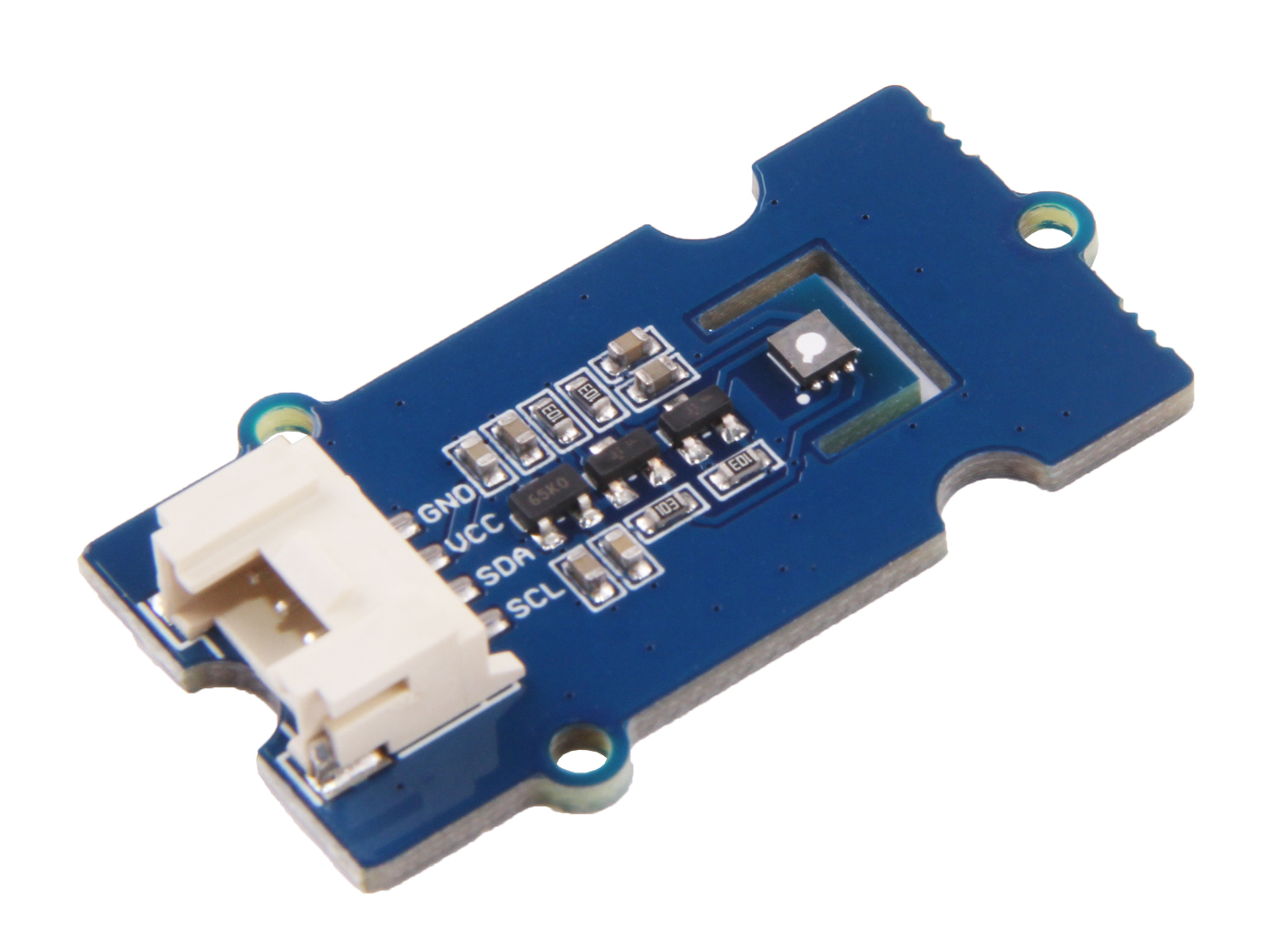
Similarly, this sensor also has a dedicated CircuitPython library that will greatly simplify our code. Follow the steps above to this time upload the adafruit_sgp30 library to your Pico.
import time
import board
import busio
import adafruit_sgp30

i2c = busio.I2C(board.GP21, board.GP20, frequency=100000)
sgp30 = adafruit_sgp30.Adafruit_SGP30(i2c)


sgp30.set_iaq_relative_humidity(celsius=__, relative_humidity=__) # Set values for your ambient temperature and humidity
sgp30.iaq_init()

elapsed_sec = 0

while True:
    eCO2 = sgp30.eCO2
    TVOC = sgp30.TVOC
    print(f"eCO2 = {eCO2} ppm \t TVOC = {TVOC} ppb")
    time.sleep(1)
    elapsed_sec += 1
    if elapsed_sec > 10:
        elapsed_sec = 0
        print(
            "**** Baseline values: eCO2 = 0x%x, TVOC = 0x%x"
            % (sgp30.baseline_eCO2, sgp30.baseline_TVOC)
        )
See also
For more detailed specifications see the manufacturer’s wiki.
Smoke Sensor (MQ2)#
The MQ2 is another type of gas sensor. It works similar to the SGP30, using a tin oxide sensing element.
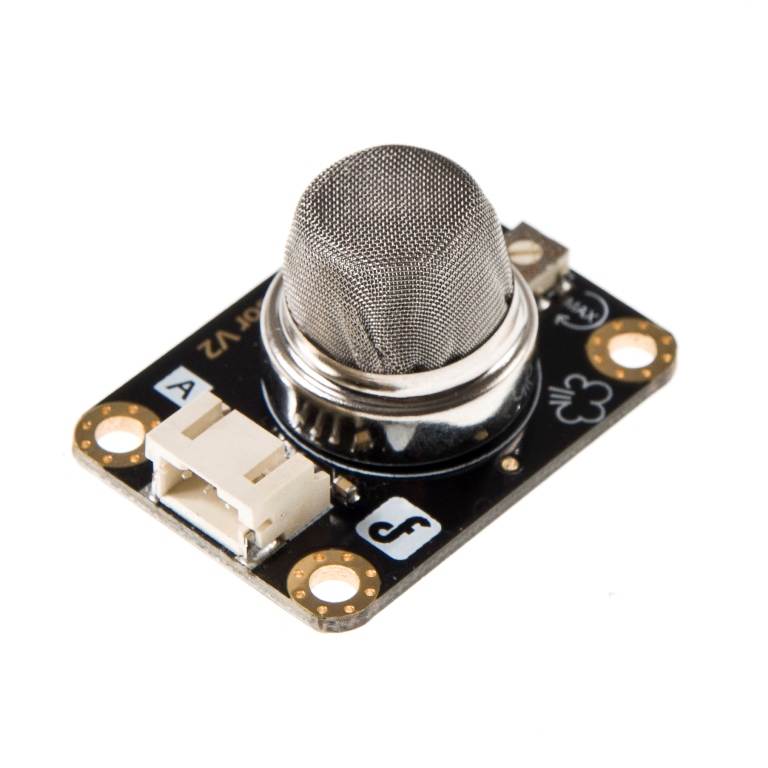
As opposed to using a digital protocol, this sensor works by more simply sending an analog signal to the Pico. Similar to the LM35 Temperature sensor we thus only need to read the voltage via the analogio module and use a conversion.
import time
import board
import analogio
import digitalio

led = digitalio.DigitalInOut(board.LED)
led.direction = digitalio.Direction.OUTPUT
mq2 = analogio.AnalogIn(board.GP26)         #Choose any ADC pin
def read_smoke():
    val = mq2.value
    smoke_value = (val * 3.3) / 65535
    return smoke_value

while True:
    smoke = read_smoke()
    # Find conversion factor
    print((smoke,))
    if smoke != 0:
        led.value = True
    time.sleep(1)
The code above will print out a voltage value between 0V - 3.3V, rather than a concentration. Lower voltages correspond to lower gas concentrations, while higher concentrations yield better conductivity across the sensing element and thus higher voltages.
You will need to find a conversion factor to translate this voltage value into gas concentration.
See also
For more information see this datasheet.
Dust Sensor (HM3301)#
The HM3301 is a sensor that can measure the concentration of dust particles in the air. It can detect particles at three size ranges - 1.0 ug, 2.5ug and 10ug.
Similarly, this sensor works via the I2C protocol.
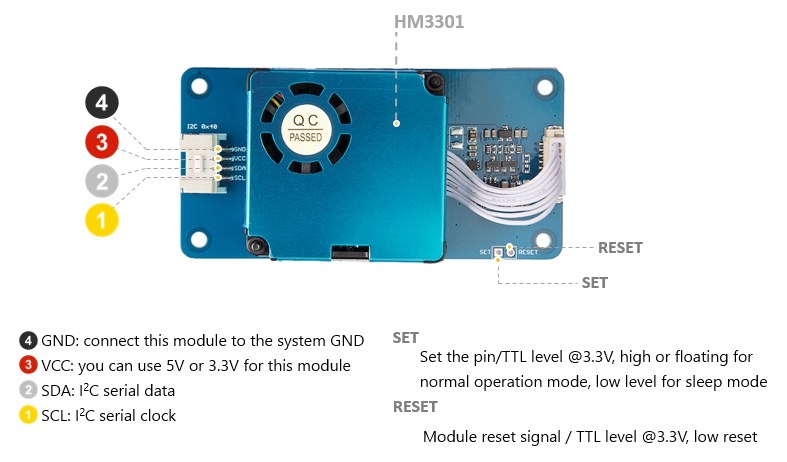
To add some slight complication, there is no official Adafruit library for this sensor. However, we can access an independently created library following these steps:
Navigate to this github link where you can find the custom HM3301 library.
On this page, you can press the download raw file button to the top right of the code block. Once downloaded, save this seeed_hm3301.py file to a location you’ll remember on your home drive.
We now need to convert this to a .mpy file. Use this link to download the mpy-cross application and save it in the same place as your seeed_hm3301.py file.
Right click on your mpy-cross file and click open in terminal. then enter
./mpy-cross seeed_hm3301.py
Once this has run, you should now see a .mpy version of your .py library, in the same place.
Copy this .mpy file to your CIRCUITPY lib folder. It is now available to be used in your code.
import time
import board
import busio
import seeed_hm3301

i2c = busio.I2C(board.GP21, board.GP20, frequency=100000)
hm3301 = seeed_hm3301.HM3301_I2C(i2c)

def get_std_readings(self):                       # The standard concentration of particles in ug/m3.
    self._perform_reading()
    return self._PM_1_0_conctrt_std, self._PM_2_5_conctrt_std, self._PM_10_conctrt_std
def get_atm_readings(self):                       # The atmospheric concentration of particles in ug/m3.
        self._perform_reading()
        return self._PM_1_0_conctrt_atm, self._PM_2_5_conctrt_atm, self._PM_10_conctrt_atm

while True:
    atmdata = get_atm_readings(hm3301)
    stddata = get_std_readings(hm3301)
    print(f'Atmospheric concentration in ug/m3 {atmdata}\nStandard concentration in ug/m3 {stddata}\n')
    time.sleep(5)
You should get a set of three digits printed out for each Atmospheric and Standard reading. These are the readings for the 2.5\(\mu g\), 5.0\(\mu g\) and 10\(\mu g\) concentrations respectively.
As these values come in an array, you can isolate one or more reading. For example PM2_5 = atmdata[0] or PM_10 = atmdata[2].
See also
For more detailed specifications see the manufacturer’s wiki.